API Tools
In One Sentence
API Tools allow your AI agents to securely query your internal systems and third-party APIs during conversations to retrieve dynamic information like order statuses, account balances, or appointment details.
Why It Exists
Static knowledge documents cannot answer questions that depend on external systems — such as "Where is my package right now?" or "What is my remaining subscription balance?" By connecting API tools, your agents can retrieve up-to-the-minute data from your backend systems and explain the results naturally to your customers.
How API Tools Work
When a customer makes an inquiry that requires an external lookup, the agent extracts the necessary identifiers (such as an Order ID or Account Number), invokes your configured API tool, and incorporates the response into its answer.
Anatomy of an API Tool
Each tool configured in your organization consists of the following components: _
| Configuration Field | Requirement | Specifications & Rules |
|---|---|---|
| Tool Name | Required | Unique snake_case identifier (e.g., check_order_status, lookup_user_balance). |
| Description | Required | Plain-English summary explaining what the tool does so the AI knows when to trigger it. |
| HTTP Method | Fixed | Set to GET (only read-only requests supported for safety). |
| Endpoint URL | Required | Secure HTTPS endpoint. Use {param_name} in the URL for path variables (e.g., https://api.example.com/orders/{order_id}). |
| Bearer Auth Key | Optional | Optional bearer token encrypted at rest. Masked in UI after saving. |
| Custom Headers | Optional | Key-value pairs for custom API headers (e.g., X-API-Version: 2). |
| Query Parameters | Optional | Name (snake_case or camelCase), Type (string, integer, number, boolean), Description, and Required toggle. |
| Path Parameters | Auto-detected | Extracted automatically from {param_name} placeholders in your URL with Type and Description. |
Responses from your backend endpoints must return valid JSON (OpenAI-compatible schema) for optimal downstream parsing by the AI agent.
Setting Up an API Tool
1. Create the Tool
- Navigate to API (
/api-integrations) in the left sidebar. - Click Configure API Tool in the top right corner.
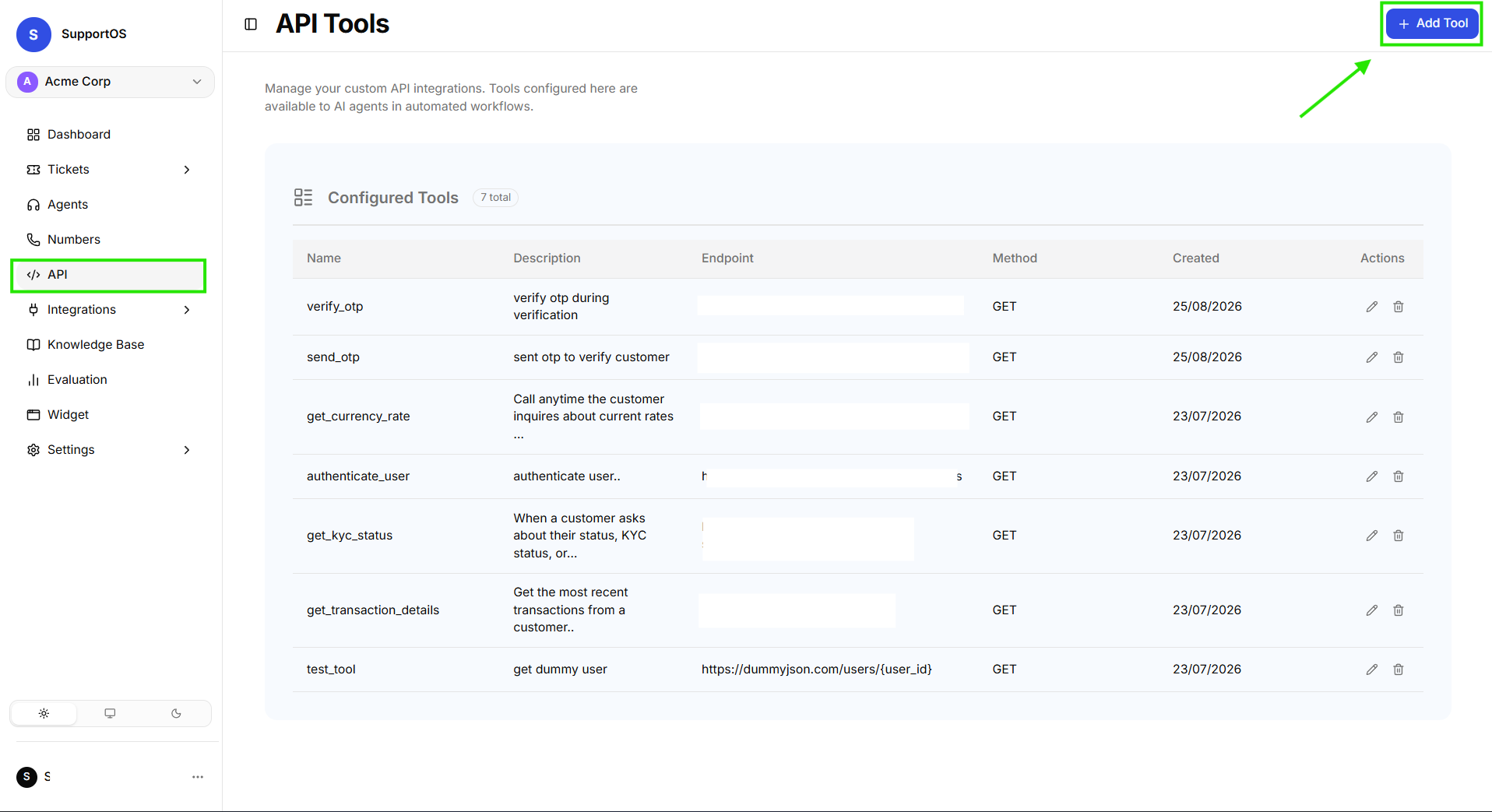 Click the Configure API Tool button in the top right of the API integrations dashboard.
- Fill in the Tool Name in snake_case and provide a descriptive Description.
- Enter your Endpoint URL. If your endpoint uses path variables (e.g.,
/users/{user_id}), add them inside curly braces. - If authentication is needed, enter your Bearer Auth Key.
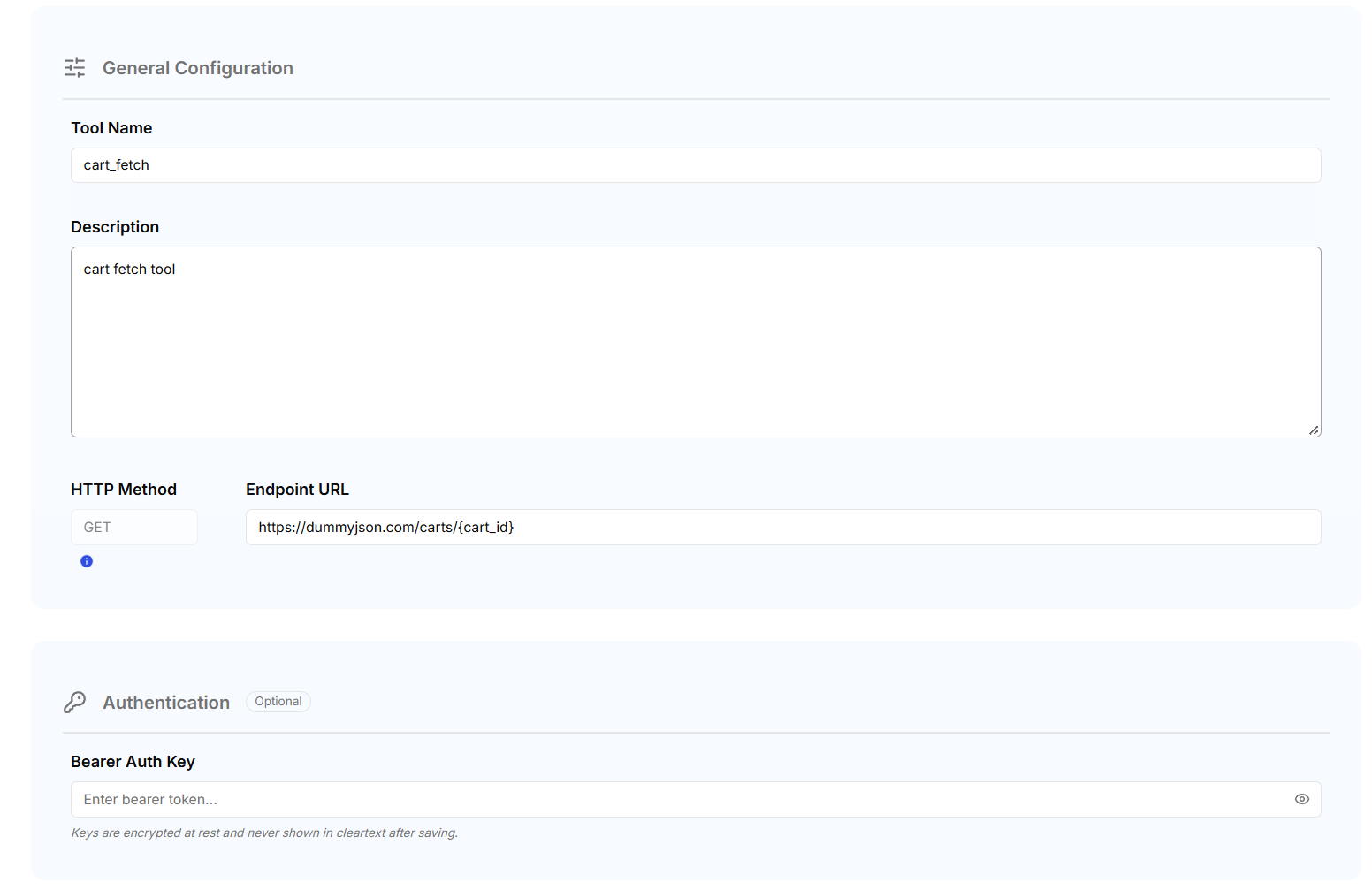 Provide tool identifiers, HTTP GET endpoint URL, and bearer authentication credentials.
- Add any required Custom Headers or Query Parameters.
- Click Save (or Update in edit mode).
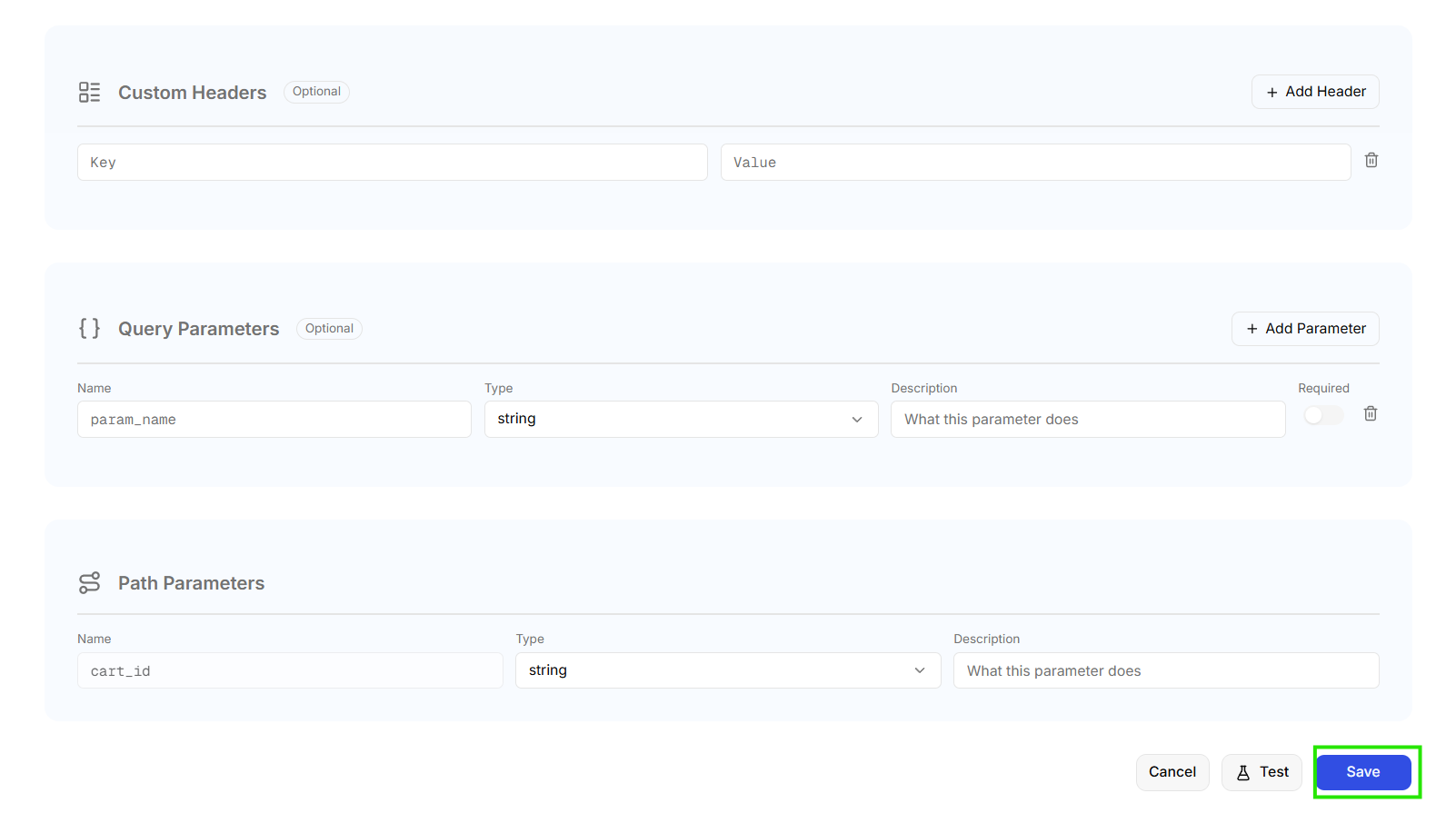 Configure custom request headers, query parameter data types, and auto-detected path variables.
2. Test in the Interactive Sandbox
Before attaching a tool to an agent, always test the endpoint directly using the built-in sandbox dialog:
- In the API Tool form, click the Test button in the bottom action bar.
- Provide sample values for each path and query parameter (e.g.,
order_id: 12345). - Click Run Test.
- Inspect the returned status code, response time, and JSON payload preview.
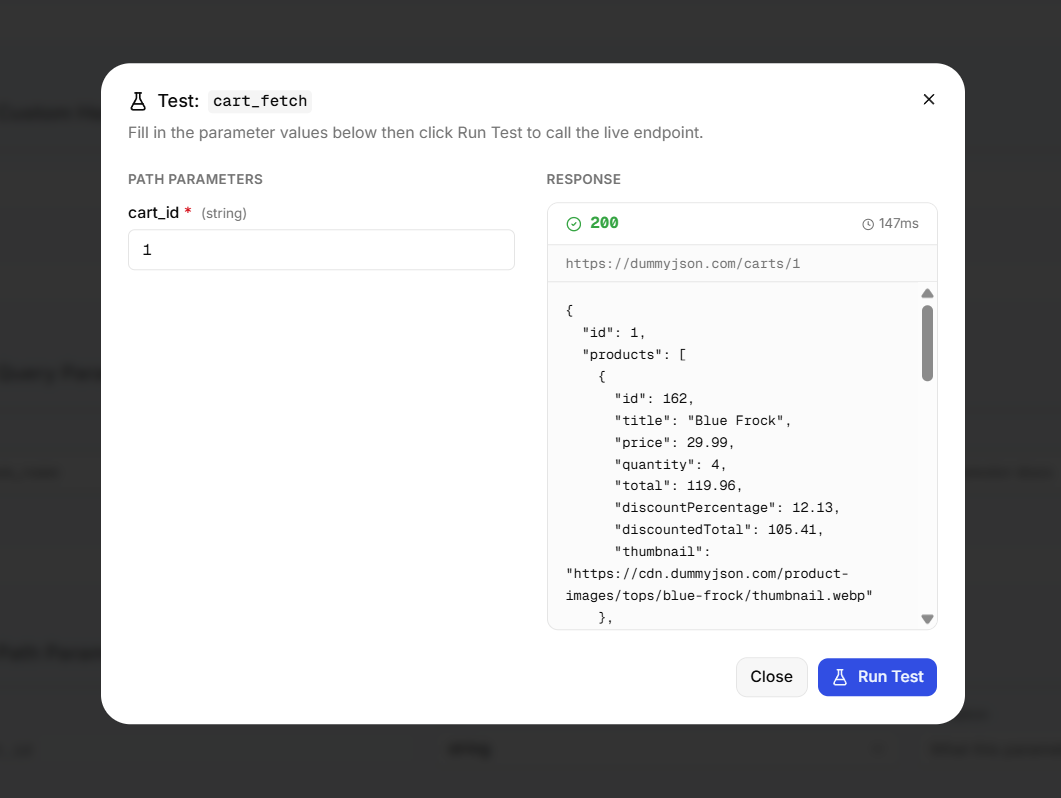 Test your endpoint with sample parameters and inspect the real-time JSON response and status code.
3. Attach the Tool to Your Agent
Once verified, attach the tool to the AI agents that need it:
- Navigate to Agents and open your agent in the editor.
- Select the Integrations tab in the Agent Builder navigation.
- Under the API Tools section, check the box next to your desired API Tool card.
- Reference the tool in your Scenarios tab playbooks where relevant (e.g., "When the customer asks for tracking, ask for their Order ID and call get_order_status").
- Deploy or save your agent draft.
For a visual walkthrough and screenshot of attaching API Tools to agents, see the Agent Builder — Integrations Guide.
Tools provide the backend data, while Scenarios provide the customer conversation flow. By pairing an API tool with a structured Scenario, you guarantee that your agent asks for required customer identification before executing an API call.
Next Steps
- Phone Numbers & Telephony — Provision phone numbers across multiple countries and bind voice agents.
- Scenarios & Playbooks — Build guided conversation playbooks that trigger your API tools.