Phone Numbers & Telephony
In One Sentence
The Phone Numbers module lets you search global carrier inventory, provision dedicated E.164 phone numbers (US, CA, GB), and instantly bind them to active voice agents to handle incoming customer phone calls.
Why It Exists
While chat agents interact with users through web widgets and helpdesks, voice agents require real-world telecom routing. SupportOS integrates directly with telephony providers so you can buy, assign, and manage enterprise phone numbers in seconds without dealing with complex SIP trunking or telecom contracts.
Only Voice agents can be assigned phone numbers. Chat agents are automatically filtered out from number assignment selectors.
Phone Number Lifecycle
Phone numbers transition through a clear lifecycle as your support team scales and shifts agent assignments:
Number Actions & Billing Impact
Understanding the difference between unassigning and releasing a number is critical for billing control:
| Action | What It Does | Organization Status | Billing Impact |
|---|---|---|---|
| Provision | Buys a number from carrier inventory and attaches it to an agent | Active & Assigned | Monthly number fee Starts |
| Assign | Switches an existing number to a different voice agent | Active & Reassigned | Monthly fee Continues |
| Unassign | Detaches the number from the agent (callers receive a hold message) | Idle in Org Inventory | Monthly fee Continues |
| Release | Tears down the telecom number at the carrier level | Permanently Removed | Monthly fee Stops immediately |
Unassigning a phone number does not stop your monthly inventory billing. It simply keeps the number reserved in your organization's private inventory so you can reassign it later without losing the phone number. To permanently cancel monthly charges for a phone number, you must explicitly Release it.
Supported Countries & Telephony Options
SupportOS provides dynamic number inventory across major global markets:
| Country | Code | Number Types | Regulatory Requirements |
|---|---|---|---|
| United States | +1 (US) | Local & Toll-Free | Standard registration |
| Canada | +1 (CA) | Local & Toll-Free | Standard registration |
| United Kingdom | +44 (GB) | National & Geographic | UK regulatory address bundle auto-applied |
Step-by-Step Provisioning Guide
1. Provision a New Number
- Navigate to Numbers (
/numbers) in the left sidebar. - Click Provision Number in the top right.
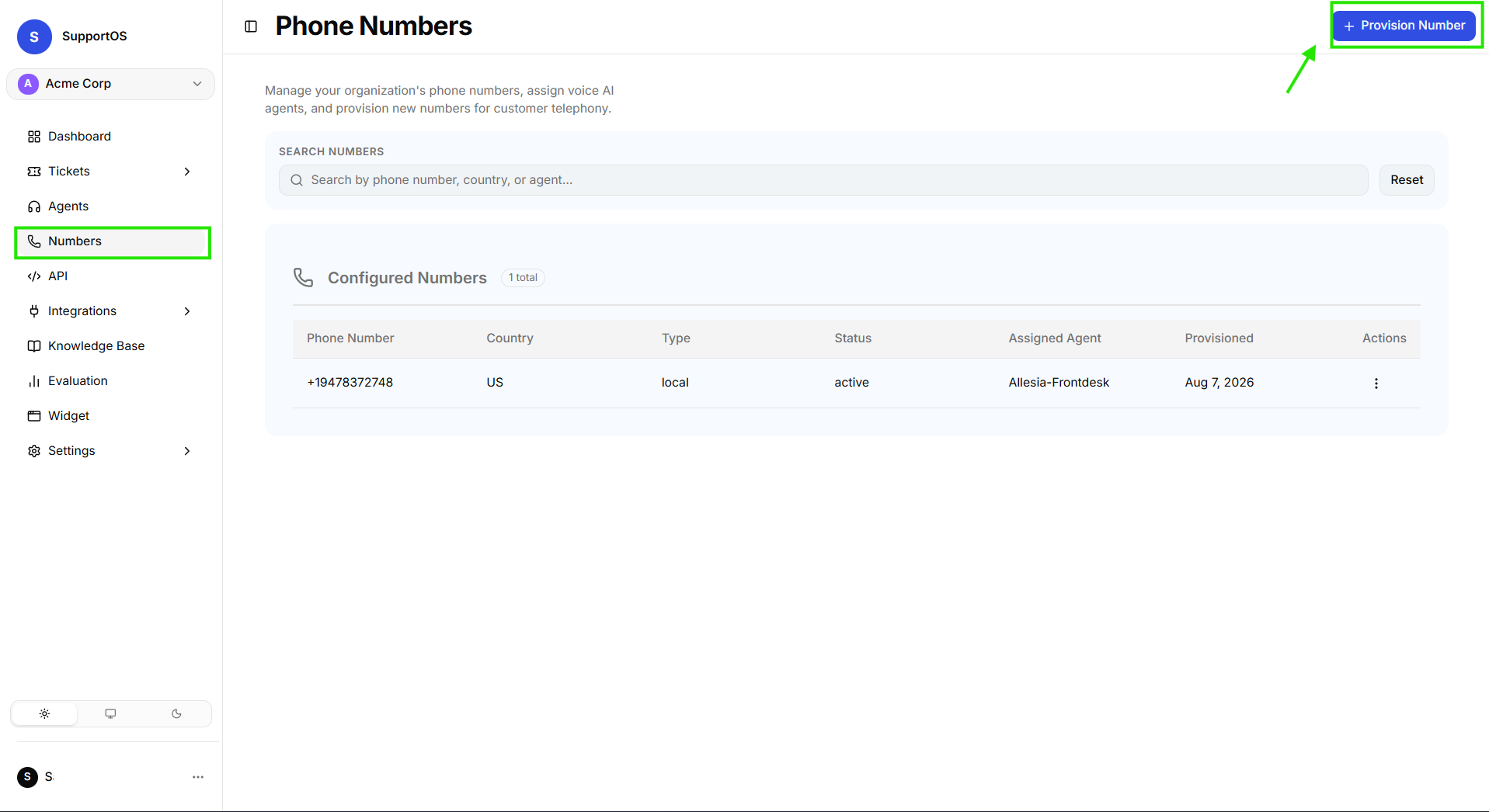 Click the Provision Number button in the top right of the Numbers dashboard.
- If you have not created a Voice Agent yet, a prompt will direct you to create a Voice Agent first.
- From the Assign to Voice Agent dropdown, select the target Voice Agent that will handle incoming calls.
- Select your desired Country (United States
US, United KingdomGB, CanadaCA). - Browse the list of available numbers displaying friendly name, locality, region, and capability badges (
Voice,SMS). - Select a number and click Provision & Assign Number.
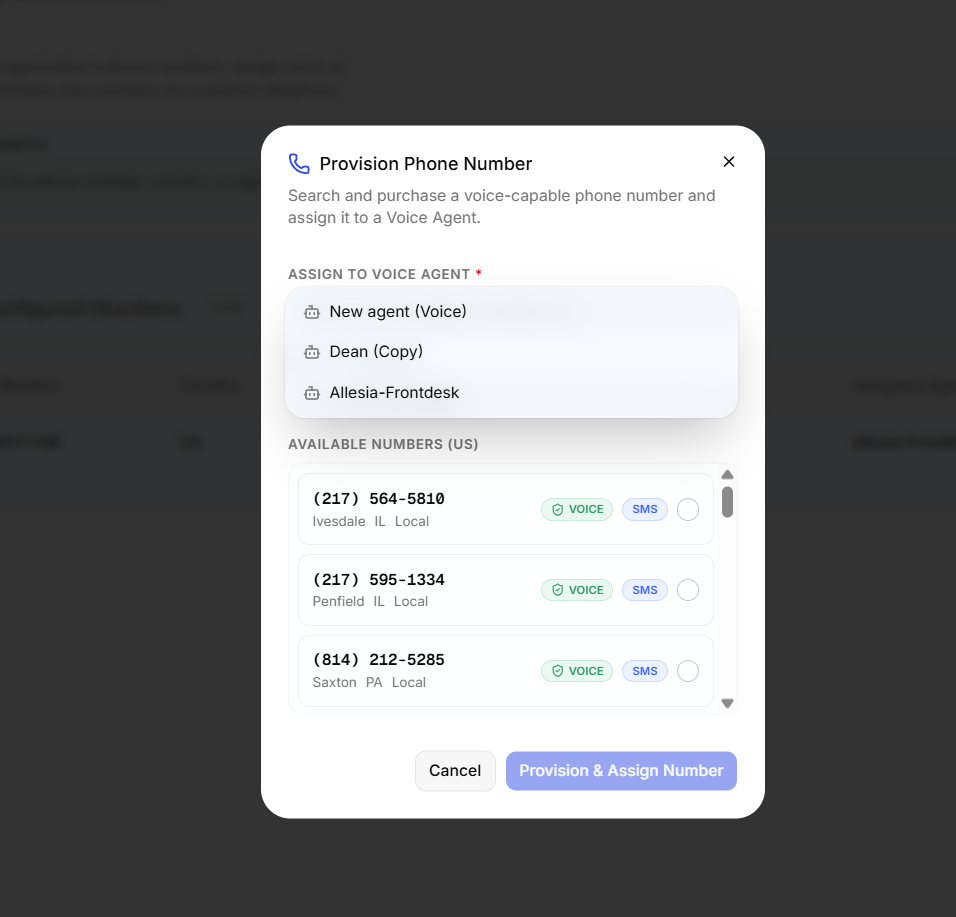 Select a voice agent, choose your target country, browse carrier inventory, and click Provision & Assign Number.
2. Reassign an Existing Number
When adjusting routing or shifting campaigns between voice agents:
- Locate the number in your Numbers table.
- Click the Actions (...) menu on the row and select Assign Agent.
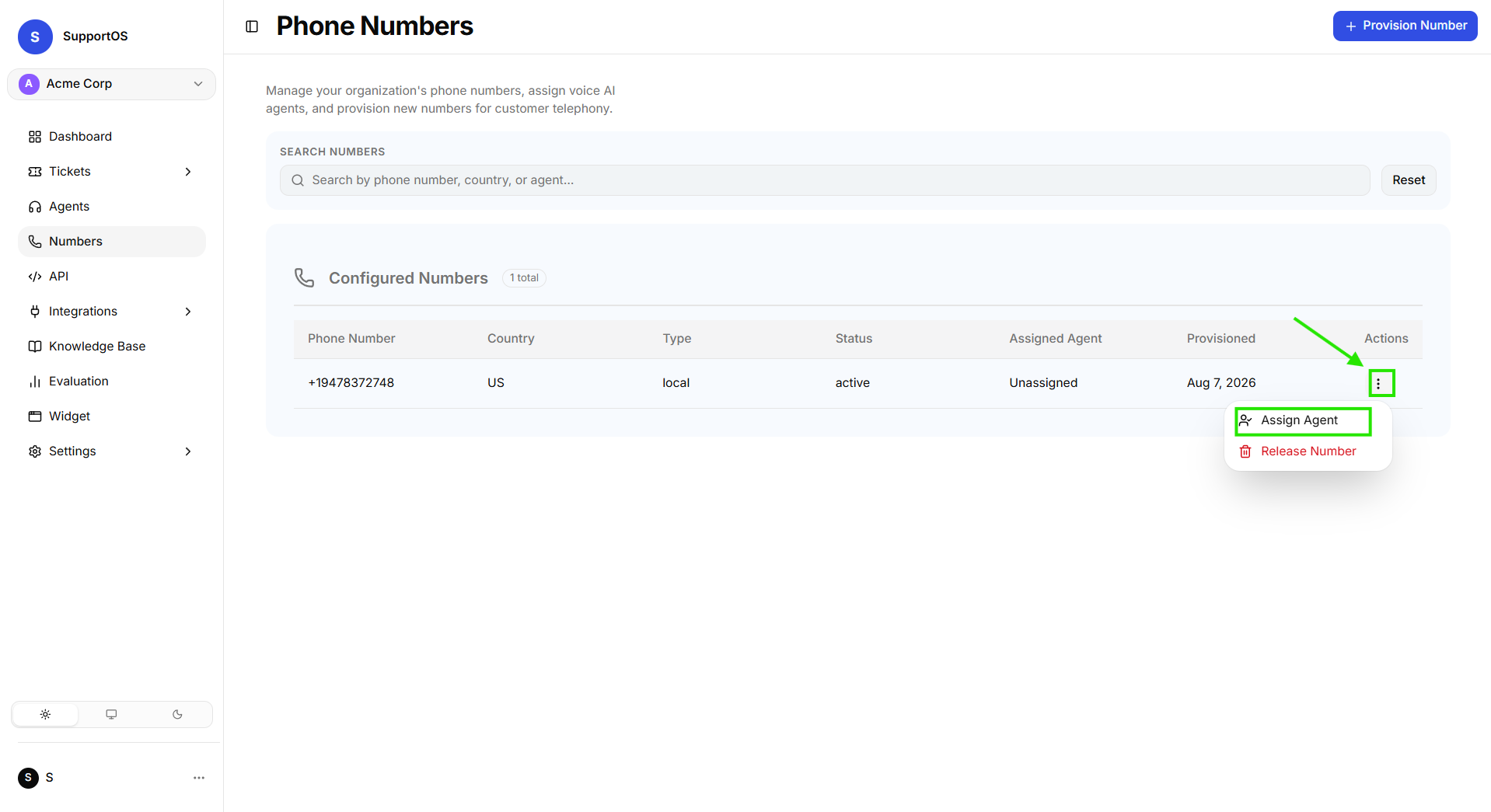 Click the row action menu and select Assign Agent.
- Choose the new Voice Agent from the dropdown and click Assign Agent. Incoming calls will immediately route to the new agent's active configuration.
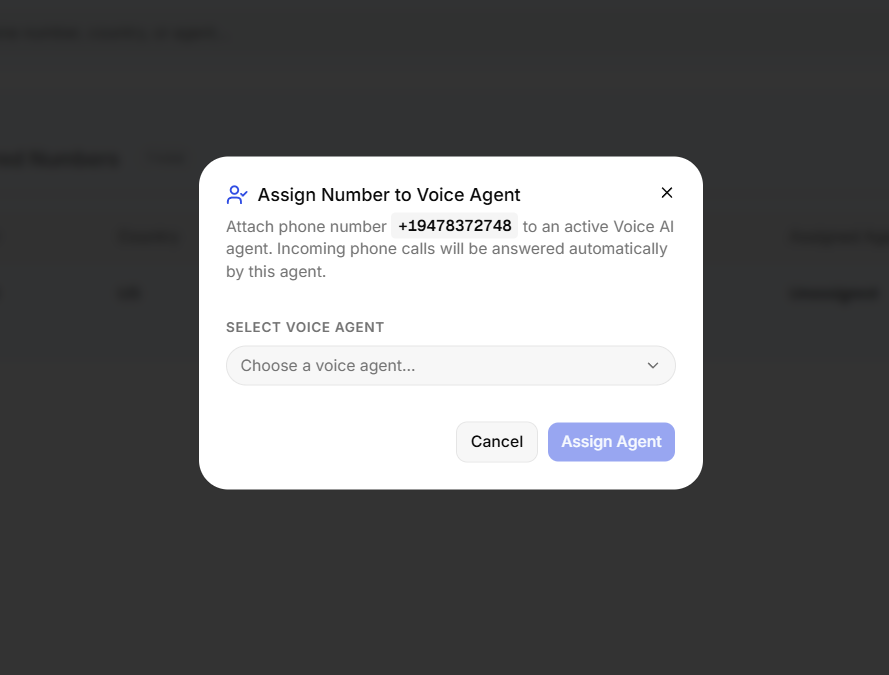 Select the new voice agent from the dropdown and click Assign Agent to update routing instantly.
3. Release a Number
When you no longer need a phone number and want to stop recurring monthly carrier fees:
- Locate the number in your Numbers table.
- Click the Actions (...) menu and select Release Number.
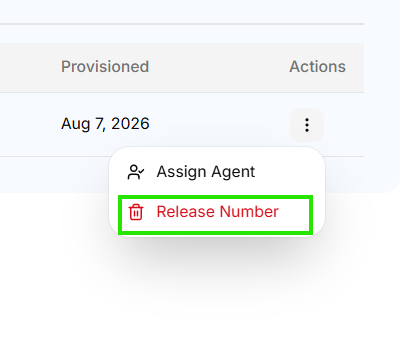 Click the row action menu and select Release Number.
- A confirmation dialog will appear warning that the number will be returned to carrier inventory.
- Click Confirm Release to permanently remove the number.
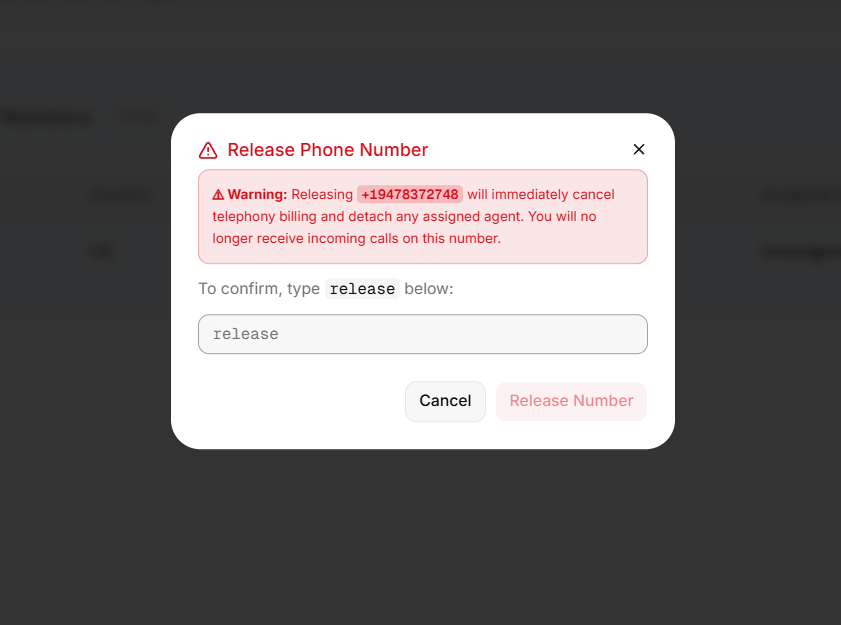 Confirm release to tear down the carrier line and cancel recurring monthly fees.
Next Steps
- Helpdesk & CRM Integrations — Connect unified omnichannel messaging platforms like Freshchat to handle chat routing and human escalations.
- Voice Agent Configuration — Adjust speech synthesis, silence timeouts, and telephony voice settings.